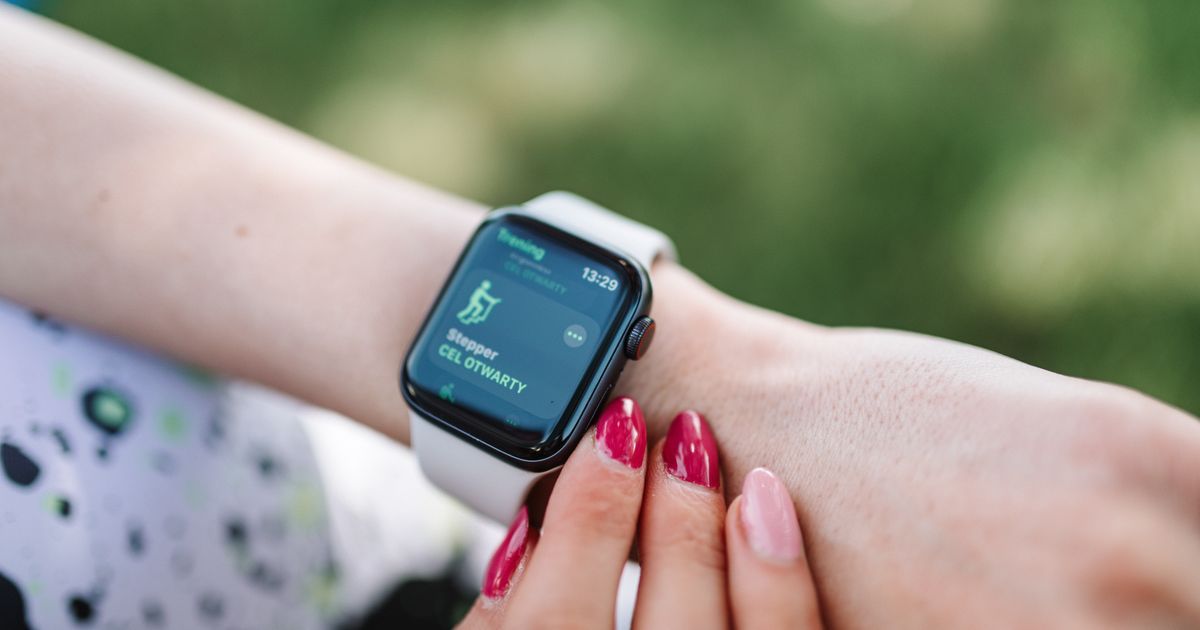
A fitness tracker counting your steps looks like it's simply watching your feet, but it isn't watching anything directly at all. Instead, it's reading the output of a small motion sensor on your wrist or in your pocket, called an accelerometerA sensor that detects movement and changes in speed, like shaking, tilting, or stepping. It's used for things like counting steps, detecting falls, and flipping a phone's screen orientation. More in the glossary, and running that stream of motion data through software designed to recognize the specific rhythmic pattern that human walking and running tend to produce.
That's a more indirect process than it sounds like it should be, and it explains a lot about step countersA feature, usually powered by an accelerometer, that counts your steps throughout the day by detecting the motion pattern of walking or running. More in the glossary' real-world quirks: why pushing a shopping cart or doing yard work can sometimes register unexpected steps, why step counts between two different devices worn at the same time rarely match exactly, and why the device has no actual idea where your feet are.
This article explains what an accelerometer measures, how that gets turned into a step count, and where the counting process tends to go wrong.
What an Accelerometer Actually Measures
An accelerometer is a tiny chip that measures acceleration, meaning changes in speed and direction, along multiple axes at once, typically up, down, forward-back, and side-to-side. It does not measure position or location; it only measures how the device it's attached to is moving and changing direction moment to moment.
When you walk, your wrist and torso move in a fairly distinctive repeating pattern: a small vertical bounce with each step, combined with a forward swinging motion if your arm swings naturally, repeating at a regular rhythm tied to your walking pace. That repeating pattern, not any single movement, is what the device's software is actually looking for.
This is also why a completely stationary task, like typing at a desk, rarely registers as steps at all: the small, irregular hand movements involved don't form the kind of sustained, rhythmic pattern the software is specifically tuned to detect.
From Raw Motion Data to a Step Count
The accelerometer produces a constant stream of motion readings, far too much raw detail to be useful directly. The device's software processes this stream by filtering out very small or very large movements that don't fit a walking pattern, then looking for a repeating rhythm within a plausible range of human walking and running cadences, roughly consistent step timing over a sustained stretch, rather than a single isolated movement.
When the software identifies a sustained repeating pattern that fits within those expected bounds, it counts each repetition as one step. This is why a single bump, like setting the device down hard on a table, usually doesn't register as a step: it's a single isolated spike, not part of a sustained repeating pattern.
Why Step Counters Sometimes Count Wrong
Because the system is fundamentally pattern-matching rather than directly observing your feet, certain other repetitive motions can resemble a walking rhythm closely enough to register as steps. Pushing a shopping cart, some types of driving on a bumpy road, certain yard work, playing certain instruments, or activities with repetitive arm motion can all occasionally produce a rhythm similar enough to walking that the device counts false steps.
The opposite problem happens too: pushing a stroller or shopping cart without swinging your arms, or holding a railing while walking, changes your wrist's normal movement pattern enough that the software may undercount real steps, since the expected arm-swing rhythm isn't present even though your legs are genuinely walking.
Manufacturers continually refine these pattern-recognition models using large sets of recorded movement data covering many different activities, which is part of why step-counting accuracy has generally improved across newer generations of devices.
Does Where You Wear It Matter?
Yes, measurably. A device on your wrist relies partly on arm swing as part of its walking-pattern recognition, while a device in your pocket or clipped to your waist is closer to your body's center of motion and picks up the vertical bounce and rotational sway of walking more directly, often with somewhat different accuracy characteristics as a result.
Some phones and trackers use slightly different step-detection models depending on where the sensor is expected to be worn, which is part of why a phone in your pocket and a watch on your wrist, worn by the same person on the same walk, often report at least slightly different step totals, even though both are reasonably tracking the same underlying activity.
Neither placement is simply more correct than the other; they're measuring the same walk from two different vantage points on your body, each with its own strengths and blind spots depending on exactly how you move.
Steps Versus Distance: Two Different Estimates
A step counter directly detects steps through the motion pattern described above, but converting that step count into an estimated distance requires an additional assumption: an average stride length, how far you move with each step. Many devices estimate this from your height and typical walking speed, while some refine it over time using GPSShort for 'Global Positioning System,' a network of satellites a device uses to figure out its exact location on Earth. It powers maps, navigation, and 'find my phone' features. More in the glossary data during outdoor walks or runs to calibrate a more personal stride-length estimate.
This means the step count itself is a relatively direct pattern-detection result, while the distance number shown alongside it is a secondary calculation built on an assumption about your stride, which is why distance estimates tend to carry more uncertainty than the step count itself, especially for anyone whose natural stride differs noticeably from the device's default assumption.
Why Two Devices Rarely Agree Exactly
Because each manufacturer designs its own pattern-recognition software, tunes its own sensitivity thresholds, and sometimes uses a slightly different accelerometer sensor, two different devices worn on the same walk will almost always report at least a slightly different step count, even though both are reasonably measuring the same underlying activity. Neither number is necessarily wrong; they're two separate estimates built from similar but not identical methods.
This is a reasonable argument for not treating any single device's step count as an exact measurement, and instead using one consistent device over time to track your own personal trends, where the specific counting method stays the same from day to day even if the absolute number might differ slightly from what a different device would have reported for the same walk.
Why a Grocery Trip Might Over- or Undercount Steps
- You push a loaded shopping cart through the store for twenty minutes.
- Your legs are walking normally, but your wrists stay relatively still, gripping the cart handle instead of swinging.
- Your wrist-worn tracker's software is partly relying on arm-swing rhythm as part of its walking pattern.
- With less of that expected rhythm present, the tracker may undercount how many steps you actually took.
- Meanwhile, a phone in your pocket detects the vertical bounce of your actual steps more directly and may produce a count closer to your real total.
- Switching which cart lane or surface you're on, like a bumpy parking lot, could separately add a few false steps from jostling.
Common Mistakes
- Assuming a wrist tracker and a phone will always report the same step count for the same walk.
- Treating the distance number as equally precise as the step count, when distance relies on an additional stride-length assumption.
- Being surprised that pushing a cart or stroller undercounts steps, without realizing many wrist trackers partly rely on arm-swing rhythm.
- Assuming any repetitive motion, like certain chores or instrument playing, can never register as false steps.
- Switching devices frequently and comparing raw step totals directly, instead of tracking personal trends on one consistent device.
Frequently Asked Questions
How does a fitness tracker know I'm walking instead of just moving my arm?
It looks for a sustained, repeating motion pattern consistent with typical walking or running rhythms, not just a single movement, which helps filter out random arm gestures.
Why do my phone and my watch show different step counts for the same walk?
Each device uses its own sensor placement, pattern-recognition software, and sensitivity settings, so they produce independent estimates that rarely match exactly, even when tracking the same walk.
Can pushing a stroller or cart affect my step count?
Yes, especially on a wrist-worn device. Reduced arm swing can mean less of the expected walking rhythm is detected, which can lead to undercounting even though you're genuinely walking.
Is the distance shown next to my step count as accurate as the step count itself?
Generally no. Distance relies on an estimated stride length, an extra assumption on top of step detection, so it tends to carry more uncertainty than the step count alone.
Can a step counter mistake other movements, like cycling, for steps?
It's possible, since cycling involves repetitive leg motion, though it generally produces a different vertical-bounce pattern than walking, so most modern trackers are reasonably good at telling the two apart.
Sources
- IEEE Spectrum — coverage of motion-sensor and wearable device engineering — https://spectrum.ieee.org
- NIST — research on sensor measurement standards — https://www.nist.gov
- Stanford University School of Engineering — general resources on motion sensing and biomechanics — https://engineering.stanford.edu